Near-trigger watchlists: watch the distance, not the chart.
A watchlist of thirty tickers does not need thirty pairs of eyes. It needs one number per symbol: how far is price from the level that would make you act?
Of thirty symbols on a watchlist, two matter at any moment. You can't tell which until you check all thirty, so you check them every hour and still miss the one that triggered while you looked at another.
A near-trigger watchlist flips the question. Instead of “what is on my list?”, it asks “which of these are close to the price where I would act?”
The problem: attention is the scarce resource
Scanning charts wastes attention on names that are nowhere near a decision, and biases you toward whatever is moving rather than whatever is actionable.
Disciplined traders define the trigger in advance, then let distance decide where to look.
Key concept: one trigger per symbol, one distance per trigger
A trigger is the price level that changes your decision. Which level depends on where the symbol is in its life:
| Setup waiting to be entered | Entry price |
| Open position | Whichever is closer: the stop or the target |
| Plan that no longer holds | The level that invalidated it |
Sort by distance, not by name or by today’s move. The top of the list is where your next ten minutes should go.
Worked example: four symbols, one glance
| Symbol | State | Trigger | Distance | Action |
|---|---|---|---|---|
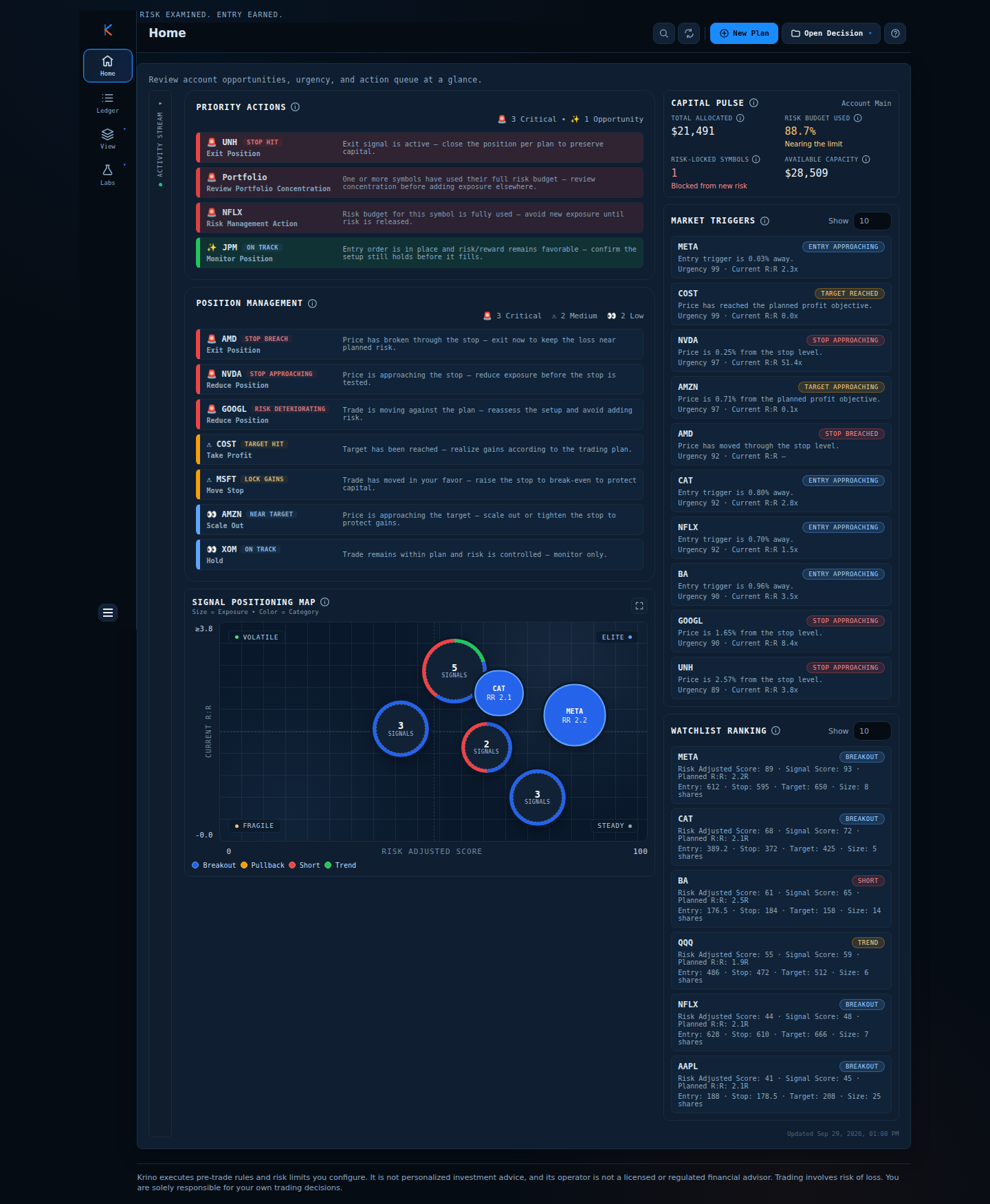
| META | Waiting to enter | Entry 612 | 0.03% | Confirm the setup, place the order |
| NVDA | Open position | Stop | 0.25% | Decide: reduce before it is tested |
| CAT | Waiting to enter | Entry | 0.80% | Be ready, nothing yet |
| UNH | Open position | Stop | 2.57% | Monitor |
- Situation: you have fifteen minutes before a meeting.
- Decision: META and NVDA first, because their distances are near zero. CAT and UNH can wait until you are back.
- Outcome: the two time-sensitive decisions are made. The other twenty-six symbols were never opened.
Comparison: ways to watch a list
| Method | Effort | Failure mode |
|---|---|---|
| Scan every chart | High | Fatigue, recency bias |
| Price alerts per level | Medium to set up | Alert fatigue; alerts do not rank each other |
| Sort by % change | Low | Shows what moved, not what is actionable |
| Near-trigger ranking | Low once triggers exist | Needs a trigger for every symbol |
Common mistakes
- No trigger defined. A symbol without a level cannot be near anything. Write the level or drop the name.
- One alert, one price, forever. Triggers change as plans progress (entry, then stop and target). Update them.
- Treating nearness as a signal to trade. Close means “look now”, not “buy now”. The plan still has to hold.
- Ignoring the far end. A position 2% from its stop can still become an emergency in a gap.
A framework you can use tomorrow
- Give every watchlist symbol one trigger price and a one-line reason.
- Compute the distance in percent. A spreadsheet is enough.
- Sort ascending. Review the top five only.
- For each: is the plan still valid at the current price? If yes, act on your rules; if no, update or remove it.
- Re-sort after the open and before the close. Skip the rest of the day.
How Krino helps
Krino builds this ranking from your account watchlist. Each symbol is joined to its latest decision, a trigger is chosen from where the plan is (entry for a setup, the nearer of stop and target for an accepted or executing trade, the invalidating level when a plan no longer holds), and the distance is computed. Symbols are sorted by an urgency score, with the distance as a tie-breaker.
Symbols with no decision still appear with a score of zero, so gaps in your preparation are visible. Clicking a row opens its decision.
Watch the distance, not the chart.
The demo home screen shows Market Triggers for a sample watchlist, closest first. No signup, no email, no card.
Quick start checklist
- One trigger price per watchlist symbol, written down.
- Distance to trigger in percent, sorted ascending.
- Review only the top five at a time.
- Update triggers when a plan moves from setup to position.
- Decide your action for each trigger before it is hit.
The question that actually matters
Instead of asking “what is my watchlist doing?” ask “what is close to a decision?” Write a trigger beside every symbol tonight, then look only at the three nearest tomorrow.
Let the list tell you when to look.
See a near-trigger list built from sample positions. No signup needed.
Krino executes rules and risk limits you configure. It is not personalized investment advice. Trading involves risk of loss. You are solely responsible for your own trading decisions. The worked examples in this article use illustrative prices and demo data, not a recommendation or real market data.